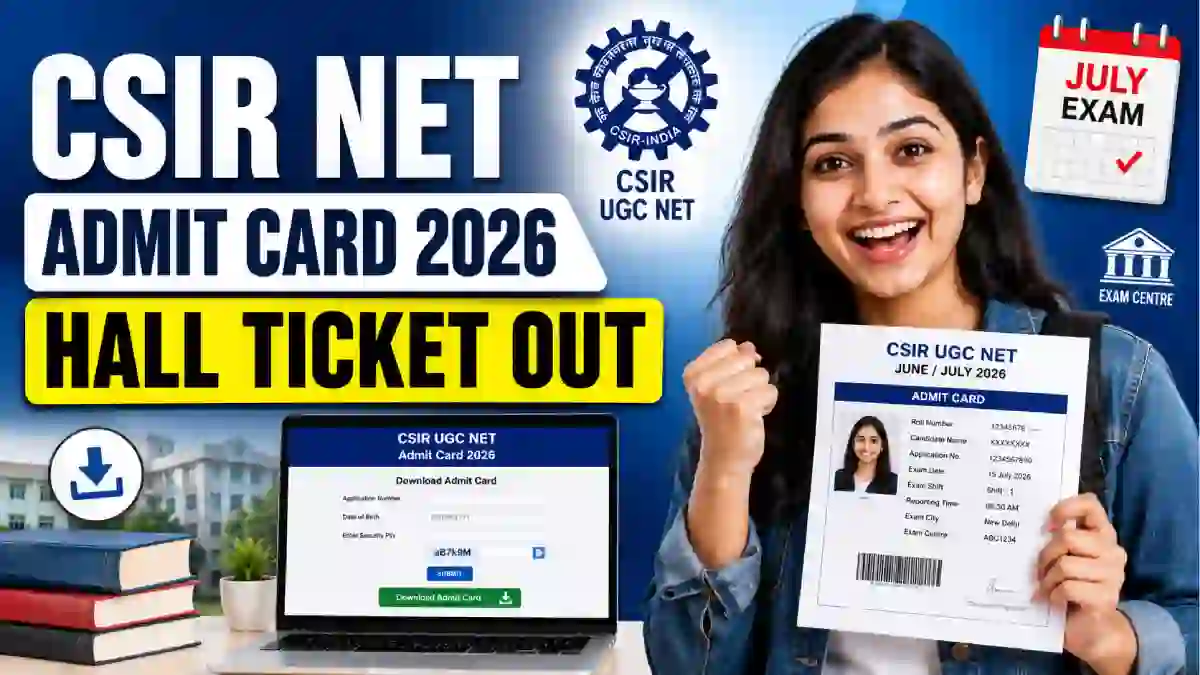
CSIR UGC NET Admit Card 2026 Released: Download Hall Ticket
The National Testing Agency (NTA) has released the CSIR UGC NET Admit Card 2026 for the June examination session. Registered candidates can now download their hall tickets through the official examination portal using their Application Number and Password.
The Joint CSIR-UGC NET examination will be conducted on 17 and 18 July 2026. Candidates should download the admit card before the exam, check all printed details, and carry a clear hard copy to the allotted examination centre.
CSIR NET June 2026 Exam Update
The admit card was made available online on 13 July 2026. It contains important information about the examination date, shift timing, reporting time, subject, and allotted test centre.
The hall ticket will not be sent through post or email. Candidates must access it through the official NTA examination portal and take a clear printout.
| Exam Details | Information |
|---|---|
| Examination Name | Joint CSIR-UGC NET June 2026 |
| Conducting Authority | National Testing Agency |
| Admit Card Status | Released |
| Hall Ticket Release Date | 13 July 2026 |
| Examination Dates | 17 and 18 July 2026 |
| Examination Mode | Computer-Based Test |
| Exam Duration | 3 Hours |
| Login Details | Application Number and Password |
| Admit Card Mode | Online |
| Official Website | csirnet.nta.nic.in |
Candidates are advised to keep more than one printed copy of the hall ticket for safety and future reference.
Hall Ticket Download Link Now Active
NTA has activated the online download facility for candidates appearing in the June 2026 examination. The hall ticket can be accessed only after entering valid login credentials.
Candidates should download it early instead of waiting until the examination day. Heavy website traffic or login-related issues may cause delays close to the exam.
The admit card confirms the allotted examination centre and reporting schedule. Therefore, candidates should not rely only on the previously released exam city information.
How to Download CSIR UGC NET Admit Card 2026
Follow the steps below to access the hall ticket:
- Visit the official CSIR NET examination website.
- Find the admit card link for the June 2026 session.
- Open the candidate login page.
- Enter your Application Number.
- Enter the correct Password.
- Fill in the displayed Security Pin or Captcha.
- Click on the Submit or Sign In button.
- Check the examination details displayed on the screen.
- Download the admit card PDF.
- Take at least two clear printouts for the examination.
Candidates should keep their login details private and avoid sharing them on unofficial websites.
Recent Posts:
- Telangana TG TET June Result 2026 Out: Download Scorecard and Check Qualifying Status
- AIIMS CRE-5 Application Status 2026 Out: Check Accepted or Rejected Status Online
- Bihar Vikas Mitra Recruitment 2026: Apply Offline for Vikas Mitra Post in Dubba Panchayat,
- Bihar Jila Level Vacancy 2026: Apply Offline for 36 District Child Protection Unit Posts, Check
- HP Police Constable Recruitment 2026 Notification Out: Apply Online for 734 Male & Female
- IIT BHU Non-Teaching Recruitment 2026 Notification Out: Apply Online for 16 Administrative,
- BPSSC Forest Range Officer Recruitment 2026 Notification Out, Apply Online from 16th July for
- Indian Army NCC Special Entry 125th Course 2026 Notification Out, Apply Online from 20 July
- NGEL Recruitment 2026 Notification Out for 114 Assistant Engineer & Deputy General Manager
- TSPSC Town Planning Assistant Recruitment 2026 Notification Out, Apply Online for 7 Vacancies
- Tea Board India Management Trainee Recruitment 2026 Notification Out, Apply by Email for
- KREIS Teacher Recruitment 2026 Notification Out for 1,087 Vacancies, Apply Online from July 15
- Karnataka KEA Land Surveyor Recruitment 2026: Apply Online for 750 Surveyor Vacancies
- KEA VAO Recruitment 2026: Apply Online for 572 Village Administrative Officer Vacancies
Details to Check After Downloading the Admit Card
The hall ticket contains personal as well as examination-related information. Candidates should verify all details immediately after downloading it.
Important details may include:
- Candidate’s name
- Application number
- Roll number
- Date of birth
- Candidate category
- Photograph and signature
- Examination date
- Subject name and code
- Examination shift
- Reporting time
- Gate closing time
- Test centre name
- Complete examination centre address
- PwD status, if applicable
- Important exam-day guidelines
If any important information is incorrect, candidates should contact the NTA helpdesk before the examination date.
CSIR NET Exam Schedule 2026
The examination is scheduled to be conducted on 17 and 18 July 2026. Candidates will appear according to the subject, date, and shift mentioned on their individual hall tickets.
The examination may be held in the following shifts:
| Shift | Examination Time |
|---|---|
| Morning Shift | 9:00 AM to 12:00 PM |
| Afternoon Shift | 3:00 PM to 6:00 PM |
Candidates must follow the reporting time printed on the admit card. Entry may not be permitted after the gate-closing time.
The exact exam date and shift can differ according to the candidate’s selected subject.
Documents Required at the Examination Centre
Candidates must carry the required documents to complete the identity verification process.
The following items should be kept ready:
- Clear printed copy of the admit card
- Recent passport-size photograph
- Original and valid photo identity proof
- Other documents mentioned in the hall ticket instructions
Candidates may carry any one of the following valid photo identity documents:
- Aadhaar Card
- PAN Card
- Passport
- Voter ID Card
- Driving Licence
- Other valid government-issued photo ID
The name and personal details on the identity document should match the information provided during registration.
Candidates should read the admit card instructions carefully because additional documents may be required in specific cases.
Items Not Allowed Inside the Exam Centre
NTA follows strict security rules during the examination. Candidates should avoid carrying restricted items to the test centre.
Prohibited items may include:
- Mobile phones
- Smartwatches
- Fitness bands
- Bluetooth devices
- Calculators
- Digital watches
- Electronic gadgets
- Books and notebooks
- Written notes or study material
- Bags and purses
- Pencil boxes or pouches
- Other restricted materials
Candidates should carry only permitted items. Storage facilities for personal belongings may not be available at every examination centre.
Important Instructions for Exam Day
Candidates should reach the examination centre according to the reporting time mentioned on the hall ticket.
Before leaving for the centre, check the location and estimate the required travel time. Reaching early can help avoid problems caused by traffic or difficulty locating the venue.
Candidates should also follow these instructions:
- Carry a clear printed hall ticket.
- Bring an original valid photo ID.
- Follow the reporting and gate-closing times.
- Cooperate during identity and security checks.
- Read all instructions before starting the examination.
- Follow the directions given by the examination staff.
- Do not use unfair means during the test.
The hall ticket is provisional and does not automatically confirm final eligibility. Candidate eligibility may be verified according to the examination rules.
Purpose of the Joint CSIR-UGC NET Examination
The Joint CSIR-UGC NET is conducted to determine the eligibility of Indian candidates for academic and research opportunities in Science subjects.
Based on the applicable qualification criteria and examination results, candidates may become eligible for:
- Junior Research Fellowship
- Appointment as Assistant Professor
- Assistant Professor eligibility with PhD admission
- Admission to PhD programmes
Final eligibility depends on the candidate’s result, category, educational qualification, and applicable examination rules.
What to Do If the Admit Card Does Not Download
Candidates facing login or download problems should first verify that the Application Number and Password have been entered correctly.
They can also try the following:
- Refresh the login page.
- Clear the browser cache.
- Use an updated browser.
- Check the internet connection.
- Try again after a few minutes.
- Use the password recovery option, if required.
If the problem continues, candidates should contact NTA through the official helpdesk information available on the examination website.
Important Links
| Link | Status |
|---|---|
| Download CSIR NET Admit Card | Active |
| Check Official Examination Notice | Available |
| CSIR NET Candidate Login | Active |
| Official Examination Website | csirnet.nta.nic.in |
Candidates should download the hall ticket only through the official examination portal.
Frequently Asked Questions
Is the CSIR UGC NET Admit Card 2026 released?
Yes, the CSIR UGC NET Admit Card 2026 was released by the National Testing Agency on 13 July 2026. Candidates appearing for the June session examination can download their hall tickets from the official CSIR NET website.
How can I download the CSIR UGC NET Admit Card 2026?
Visit the official website at csirnet.nta.nic.in and open the admit card download link. Enter your Application Number, Password, and Security Pin to view and download the hall ticket PDF.
What is the CSIR UGC NET 2026 exam date?
The Joint CSIR-UGC NET June 2026 examination is scheduled to be conducted on 17 and 18 July 2026. The exact exam date, shift, reporting time, and centre address are mentioned on each candidate’s admit card.
What login details are required to download the CSIR NET Admit Card 2026?
Candidates need their Application Number and Password to access the admit card. They must also enter the Security Pin or Captcha displayed on the candidate login page.
What details are mentioned on the CSIR UGC NET Admit Card 2026?
The admit card includes the candidate’s name, roll number, examination date, subject, shift timing, reporting time, gate-closing time, exam centre address, photograph, and important instructions.
What documents should I carry to the CSIR NET exam centre?
Candidates should carry a clear printed copy of the admit card, a recent passport-size photograph, and an original valid government-issued photo ID. The accepted ID may include an Aadhaar Card, PAN Card, Passport, Voter ID, or Driving Licence.
Can I appear for the CSIR NET exam without a printed admit card?
Candidates should carry a clear printed copy of the hall ticket to the examination centre. Entry may not be permitted without the required admit card and valid original photo identity proof.
What should I do if there is an error on my CSIR NET hall ticket?
Candidates should immediately contact the NTA helpdesk through the official examination portal if they find an error in their personal or exam details. The issue should be reported before the examination date.
Is the CSIR UGC NET admit card sent by post?
No, NTA does not send the hall ticket by post. Candidates must download the admit card online from the official CSIR NET website and take a clear printout.
What should I do if the CSIR NET admit card is not downloading?
Check your Application Number and Password, refresh the page, or try using an updated browser. If the issue continues, use the login recovery option or contact the NTA helpdesk through the official website.
Conclusion
The CSIR UGC NET Admit Card 2026 is now available for candidates appearing in the examination on 17 and 18 July. Applicants should download the hall ticket early, verify the exam centre and shift details, and keep multiple printed copies ready.
Candidates should reach the allotted centre on time with the required documents and follow all instructions printed on the admit card. Regularly check the official examination portal for any important notices or updates.